


 Officiel Seat radioafkodning
SEAT Ibiza radiokode online generator
Mangler du koden til din SEAT Ibiza-radio? Få den online nu ved at oplyse serienummeret.

Lås SEAT Ibiza-radio op
Øjeblikkelig automatisk afkodning via serienummer
How to Find Your SEAT Ibiza Radio Serial & Enter Code
Follow our 3-step illustrated instructions to locate your serial number on the casing and enter your genuine factory unlock PIN.
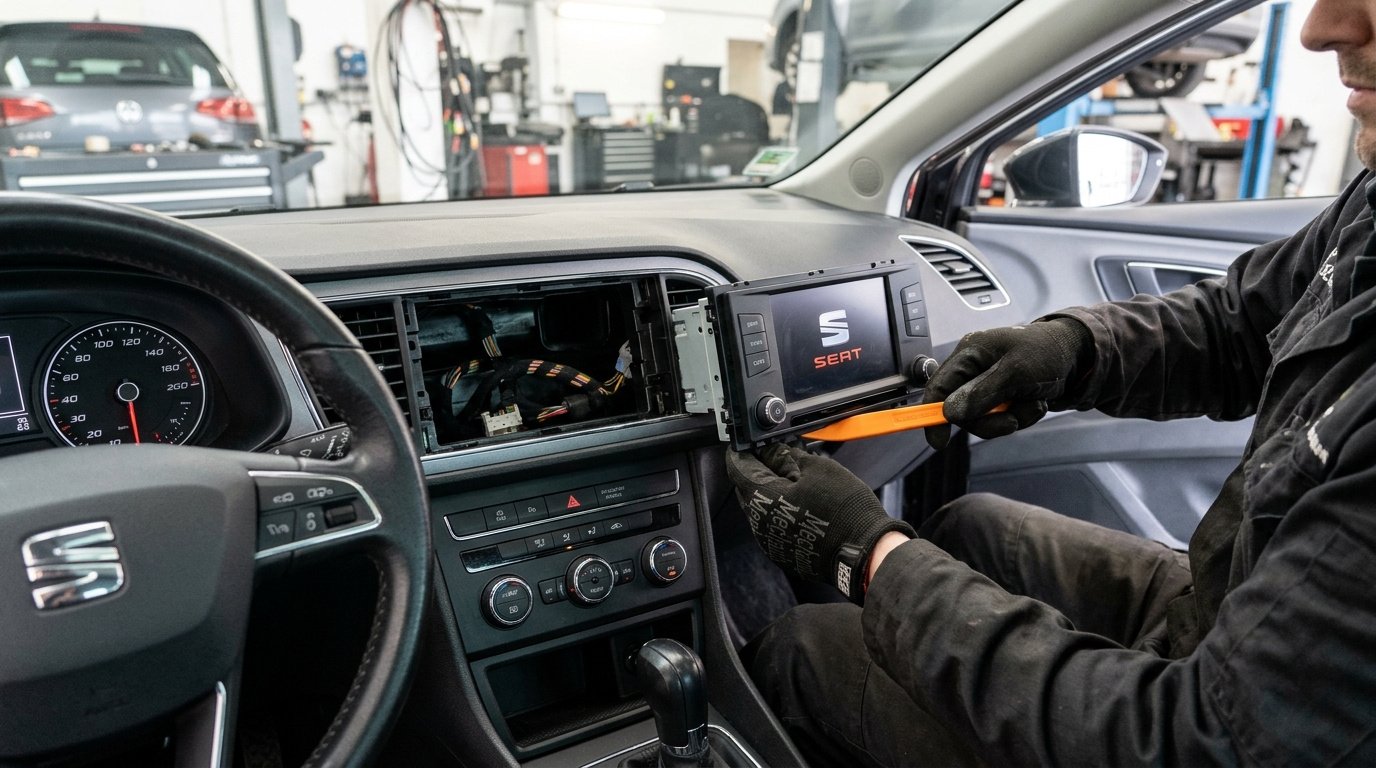
Remove your SEAT radio
Using a plastic pry tool or flat release keys, carefully unclip the radio surround trim bezel. Unscrew the mounting Torx screws or depress the spring clips to slide the stereo forward until the manufacturer label is visible.
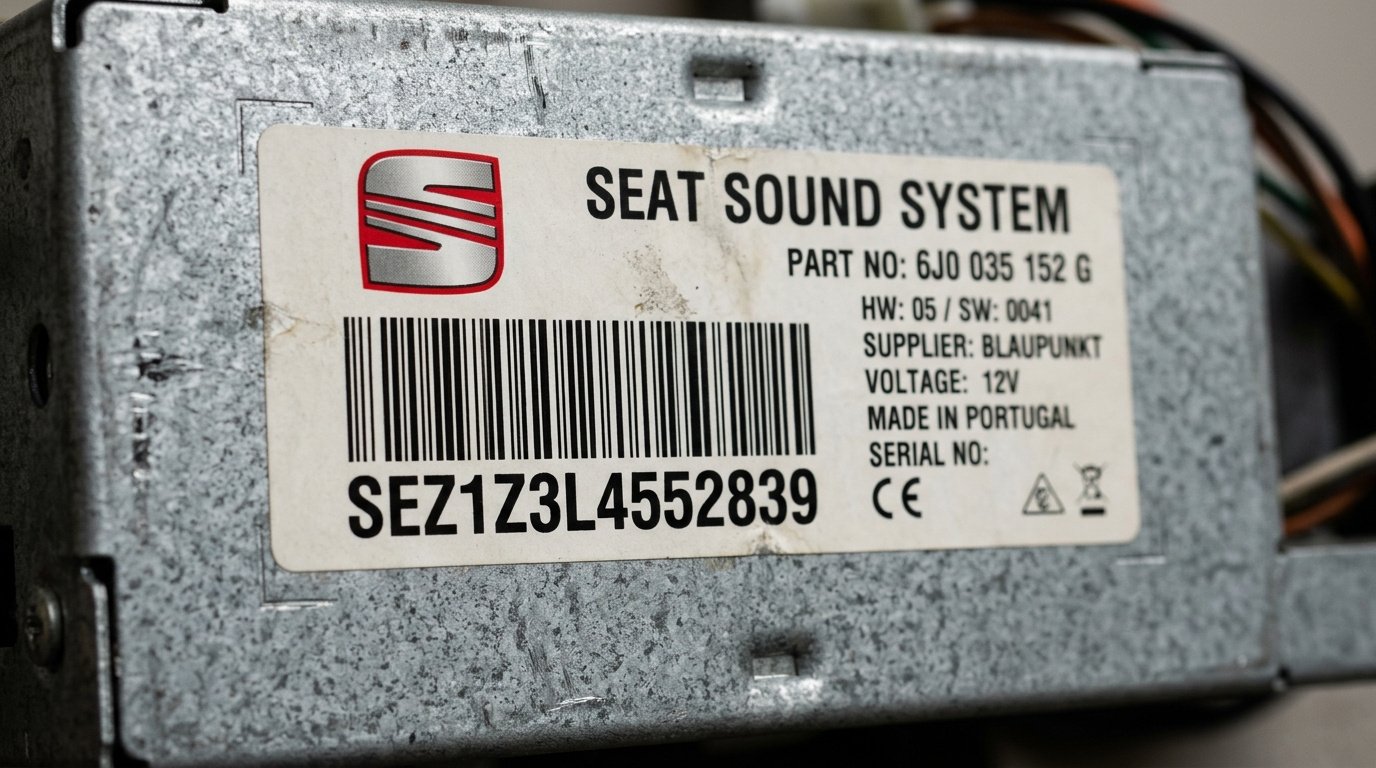
Find serial number on the label
Your serial number is on a sticker or stamped on the side or rear of the casing. All SEAT serials start with SEZ and are 14 characters long (for example: SEZ1Z3L4552839 or SEZ2Z6M1234567).
Entering your SEAT radio code
When 1000 or SAFE appears, enter your 4 digits with preset buttons 1 to 4 and hold PTY or PROG for 2 seconds to unlock the stereo.
100% Genuine Code
Original factory PIN guaranteed to unlock your radio
Instant (2-5 mins)
Delivery: Instant (2-5 mins)
Money Back Guarantee
Full refund if your code fails to unlock the unit
Lifetime Storage
Free re-send if you ever lose your code again
SEAT Ibiza Frequently Asked Questions
Hvad vores kunder siger
Læs autentiske anmeldelser fra bilejere, der låste deres radio op med vores tjeneste.
“Indtastede SKZ-serienummeret fra min Škoda Octavia Bolero, fik koden på 3 minutter. Radioen tog imod PIN-koden omgående. Tryg, hurtig og upåklagelig service!”
“Batteriet fladt på Škoda Superb, og Swing-radioen var låst i SAFE. Forhandleren krævede 65 £ og 3 dages ventetid. Fik koden her på 3 minutter. Fuldstændig genialt!”
“Det virkede med det samme på min Škoda Fabia Dance radio. Enkel vejledning, prompte levering og mange penge sparet. Klart 10/10!”