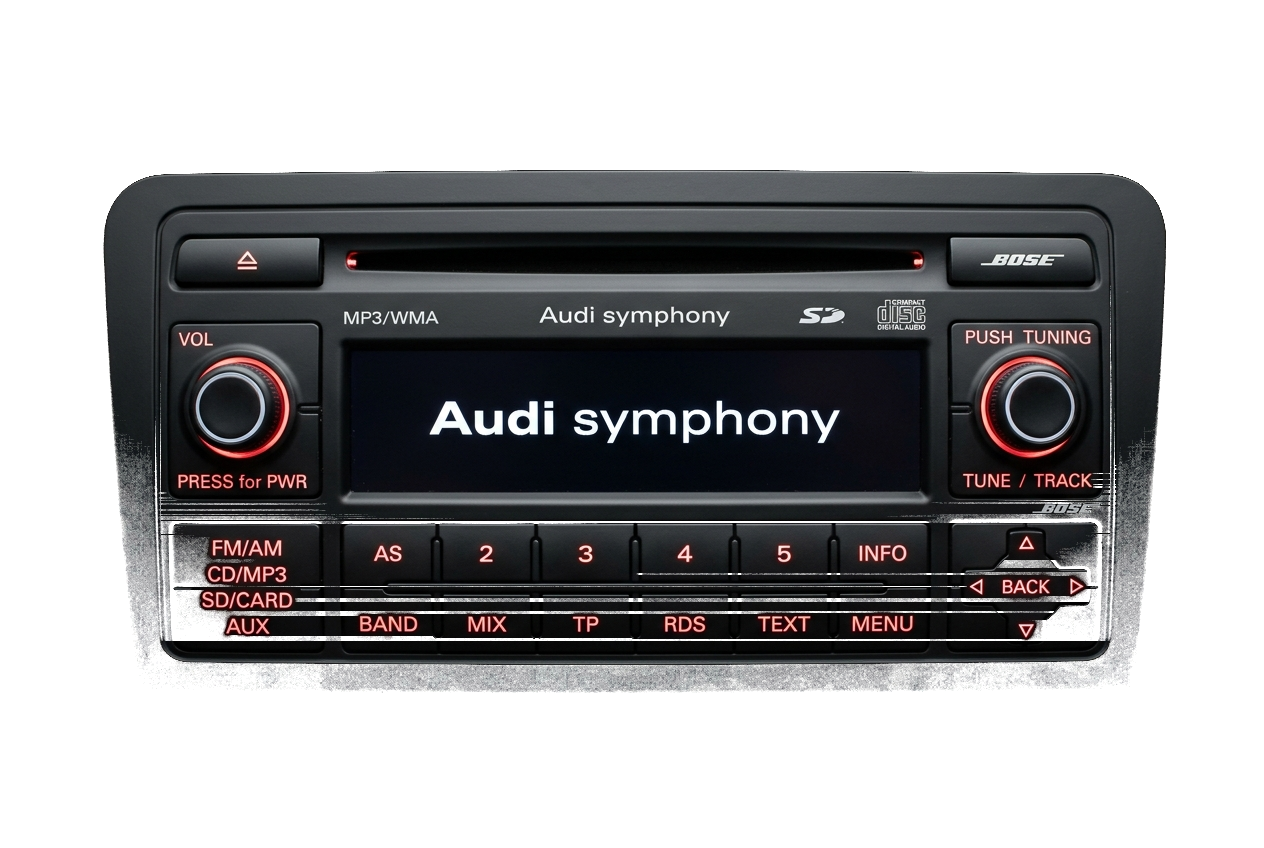
Once you have received your official 4-digit code (e.g. 0724), entering it properly is straightforward. Depending on whether your radio uses physical preset buttons or a touchscreen, follow the corresponding method below.
Method A: Physical Preset Buttons (RCD 200, 300, 310, Gamma, Beta)
These units use preset buttons 1, 2, 3, and 4 to increment each corresponding digit:
- Press button 1 repeatedly until the first digit of your code appears. (For digit "0", press until 0 is shown).
- Press button 2 repeatedly until the second digit matches your code.
- Press button 3 repeatedly until the third digit matches your code.
- Press button 4 repeatedly until the fourth digit matches your code.
- Verify the 4-digit number on screen matches your code exactly.
- Press and hold the Seek Right (>) button or the Control Knob for 2 to 3 seconds until you hear a confirmation beep and audio begins playing!
Method B: Touchscreen Units (RCD 510, RNS 315, RNS 510)
On modern touchscreen units:
- A virtual numerical keyboard (0 to 9) will appear on screen when "Enter PIN" is active.
- Tap the 4 digits directly on the screen.
- Press the on-screen "OK" or "Enter" button.
- The radio will validate the PIN and resume normal operation immediately.
Har du dit serienummer klar?
Hent din officielle fabriks-PIN på under 15 minutter. 100% pengene-tilbage-garanti, hvis koden ikke virker.