


 Officiële Seat Radiocode Ontgrendeling
SEAT Arosa Radiocode Online Generator
Heeft u de code voor uw SEAT Arosa autoradio nodig? Vraag deze direct online op met het serienummer.

SEAT Arosa Radio Ontgrendelen
Directe geautomatiseerde decodering via serienummer
How to Find Your SEAT Arosa Radio Serial & Enter Code
Follow our 3-step illustrated instructions to locate your serial number on the casing and enter your genuine factory unlock PIN.
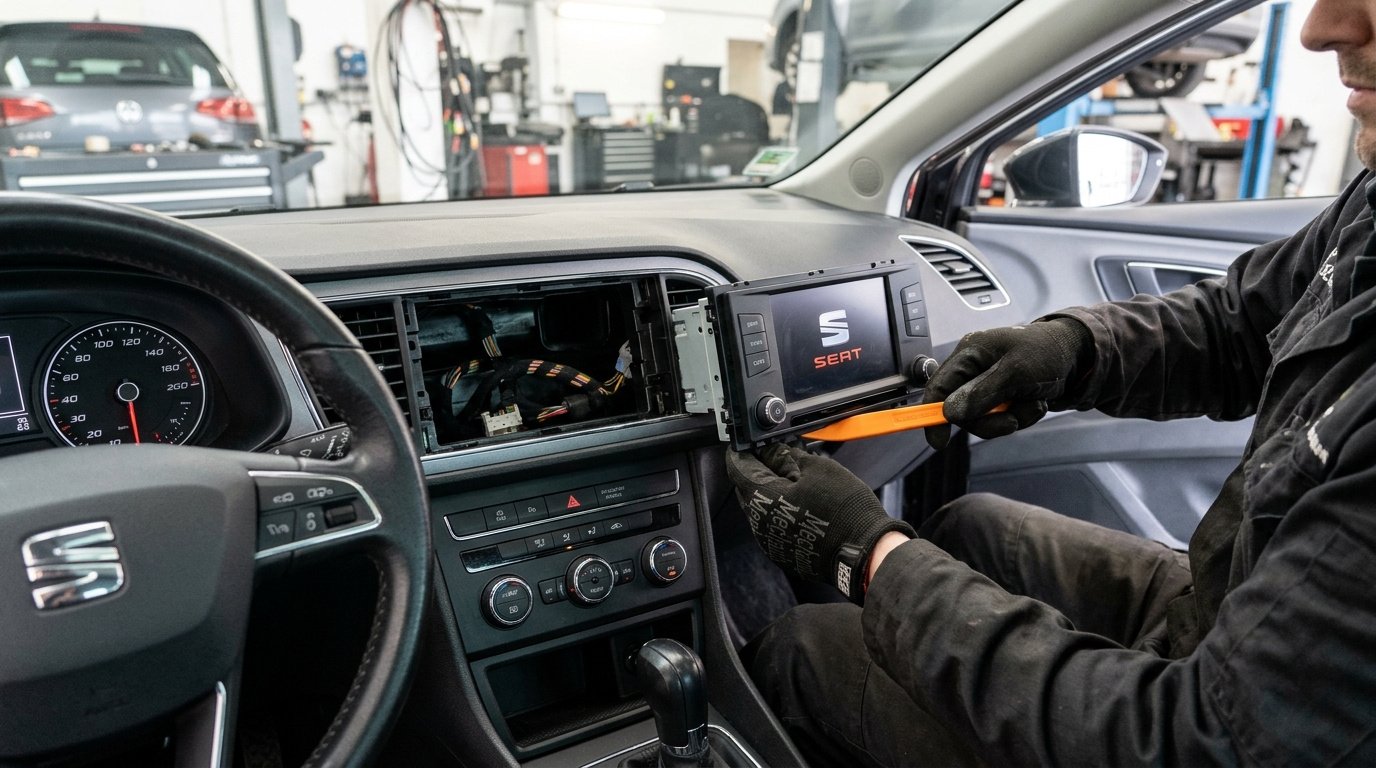
Remove your SEAT radio
Using a plastic pry tool or flat release keys, carefully unclip the radio surround trim bezel. Unscrew the mounting Torx screws or depress the spring clips to slide the stereo forward until the manufacturer label is visible.
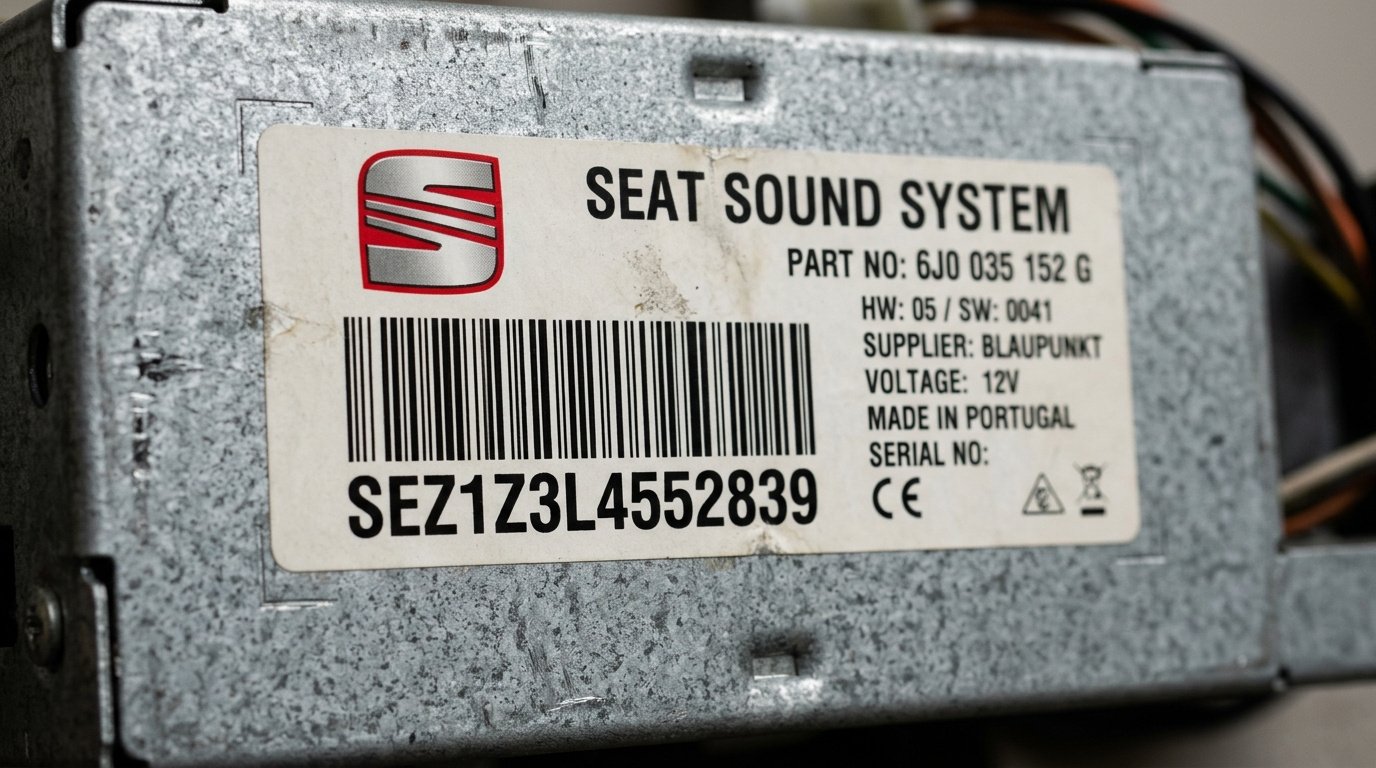
Find serial number on the label
Your serial number is on a sticker or stamped on the side or rear of the casing. All SEAT serials start with SEZ and are 14 characters long (for example: SEZ1Z3L4552839 or SEZ2Z6M1234567).
Entering your SEAT radio code
When 1000 or SAFE appears, enter your 4 digits with preset buttons 1 to 4 and hold PTY or PROG for 2 seconds to unlock the stereo.
100% Genuine Code
Original factory PIN guaranteed to unlock your radio
Instant (2-5 mins)
Delivery: Instant (2-5 mins)
Money Back Guarantee
Full refund if your code fails to unlock the unit
Lifetime Storage
Free re-send if you ever lose your code again
SEAT Arosa Frequently Asked Questions
Wat Onze Klanten Zeggen
Lees echte beoordelingen van autobezitters die hun autoradio met onze service hebben ontgrendeld.
“SKZ-nummer van mijn Škoda Octavia Bolero ingegeven, code ontvangen in 3 minuten. PIN werkte vlekkeloos en geluid is terug. Vlotte en zorgeloze service!”
“Accu leeg van Škoda Superb en Swing radio vergrendeld in SAFE. Dealer vroeg £65 en 3 dagen geduld. Hier nummer ingevoerd en binnen 3 minuten de juiste code. Briljant!”
“Meteen raak bij mijn Škoda Fabia Dance autoradio. Eenvoudige handleiding, supersnelle mail en honderden euro's uitgespaard. 10/10!”