 Official Audi Radio Decoding
Audi Rns E Navigation Radio Code Online Generator
Need the code for your Audi Rns E Navigation radio? Get it now online by providing the radio serial number.
Unlock Audi Rns E Navigation Radio
Instant automated decoding by serial
How to Find Your Audi Rns E Navigation Radio Serial & Enter Code
Follow our 3-step illustrated instructions to locate your serial number on the casing and enter your genuine factory unlock PIN.
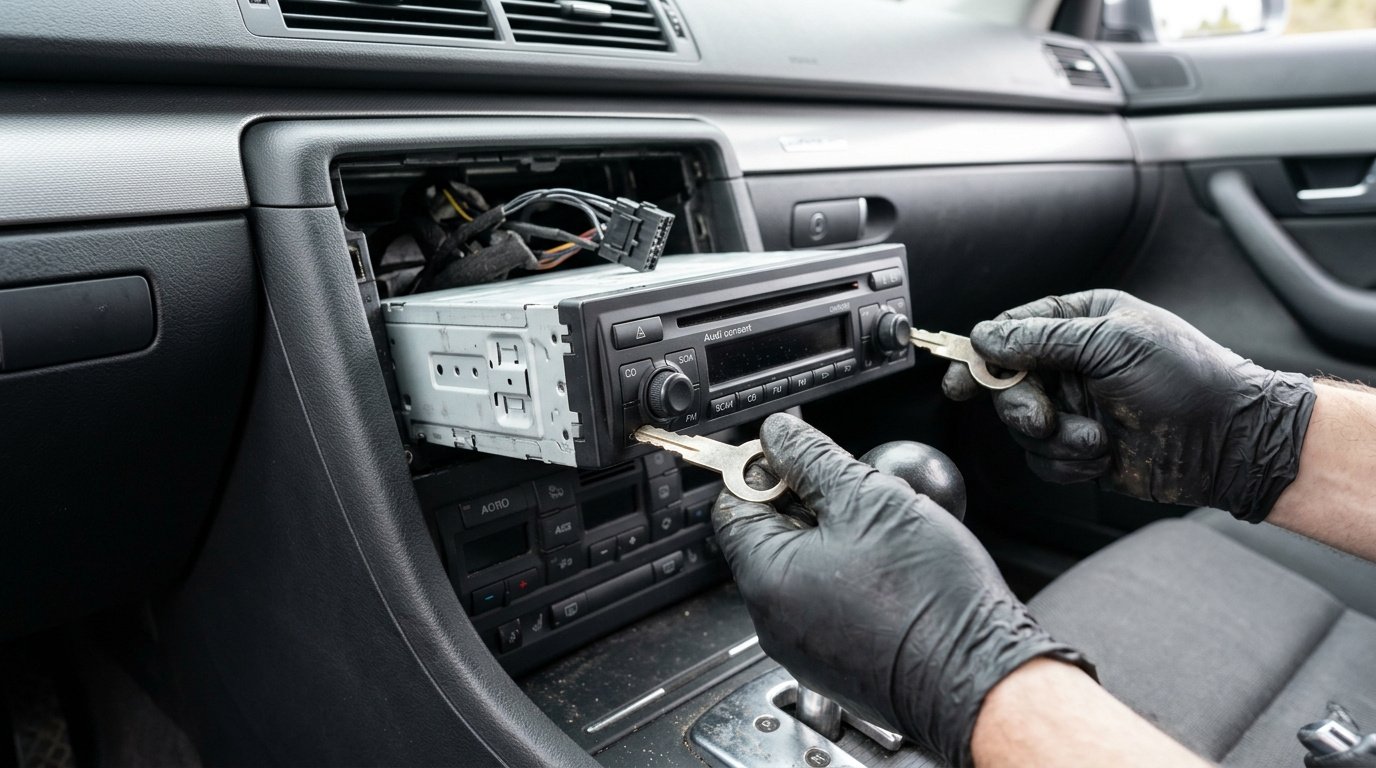
Remove your Audi radio
Insert standard Audi radio removal keys into the slim horizontal or vertical release slots until they click into place. Pull both keys outward slightly to release the internal spring catches and slide the head unit smoothly forward out of the console.
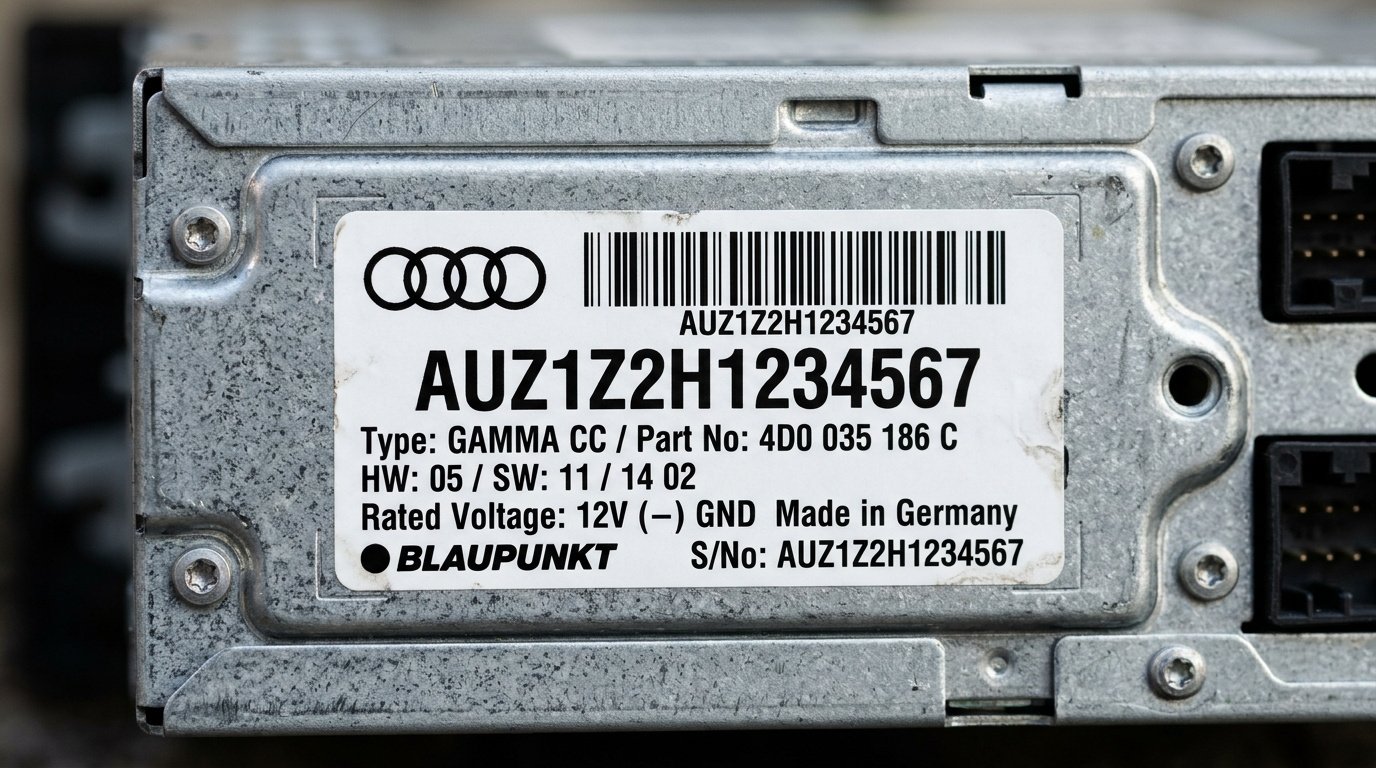
Find serial number on the label
Check the label sticker on the top or side metal casing of the unit. The serial number is 14 characters long and starts with AUZ (for example: AUZ1Z2H1234567 or AUZ2Z3C1420538). The number above the barcode is the part number.

Entering your Audi radio code
Power ON the unit. Enter digits using station buttons 1 to 4 or rotary dial, then hold FM2 and RDS (or SCAN and RDS) together for 2 seconds until the unit beeps and unlocks.
100% Genuine Code
Original factory PIN guaranteed to unlock your radio
Instant Delivery
Automated calculation delivered within minutes
Money Back Guarantee
Full refund if your code fails to unlock the unit
Lifetime Storage
Free re-send if you ever lose your code again
Audi Rns E Navigation Frequently Asked Questions
What Our Customers Say
Read authentic reviews from vehicle owners who unlocked their stereos with our automated service.
“Entered the SKZ serial from my Škoda Octavia Bolero unit, got code within 3 minutes. Radio accepted the PIN immediately and music is back! Safe, fast and completely hassle-free.”
“My Škoda Superb battery went flat and my Swing unit locked in SAFE mode. The local dealer quoted £65 and 3 days wait. Entered my serial number here and got the working code in 3 minutes. Truly brilliant service!”
“Worked on the first attempt on my Škoda Fabia Dance stereo. Simple instructions, very fast email delivery and saved me a huge dealer fee. 10/10 recommend to anyone needing their radio unlocked.”